Client Experience Guide

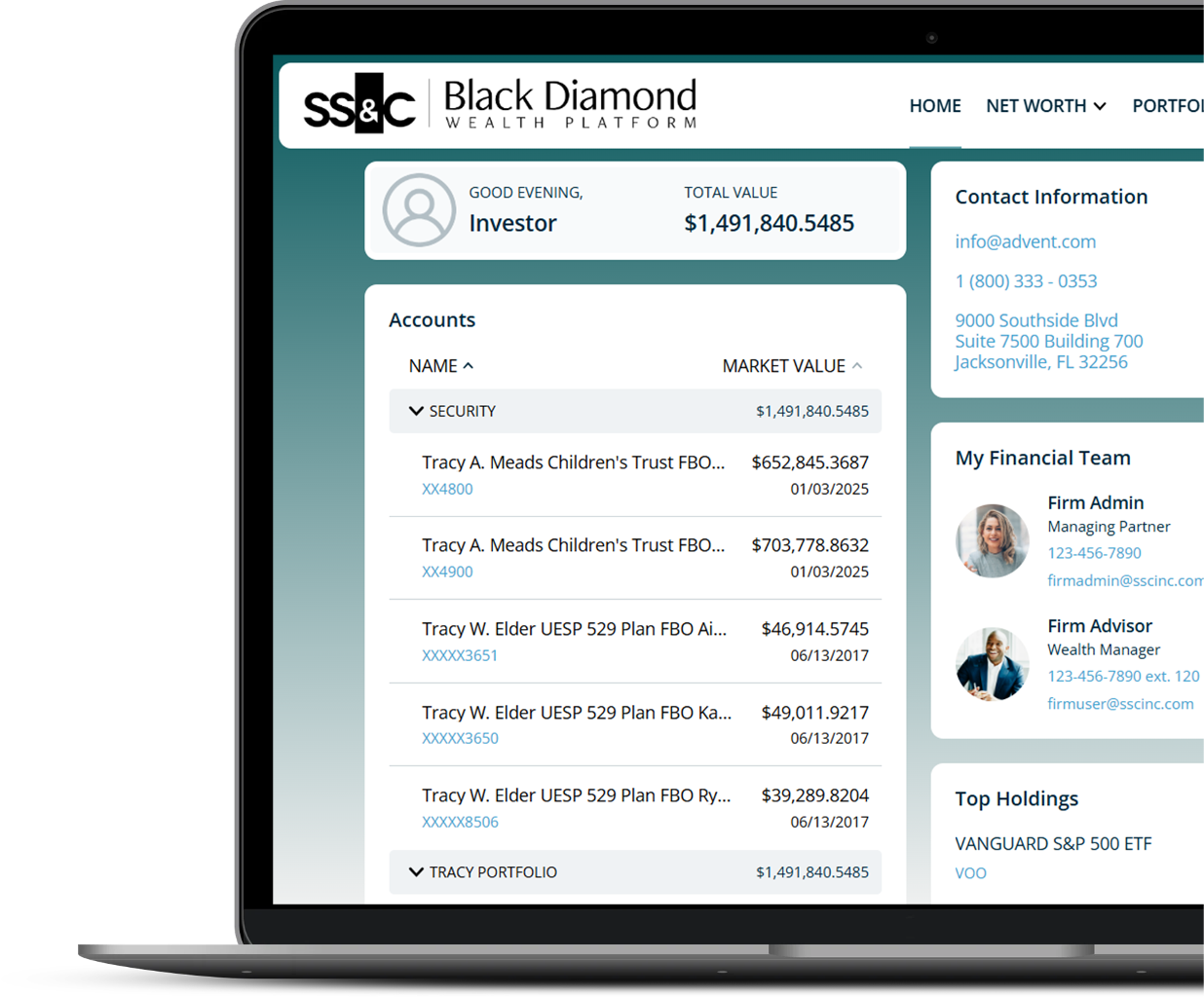
Screenshot of an online financial platform with the logo 'Black Diamond Wealth Platform'. User logged in as 'Investor' with a total value of $1,491,840.5485. The page shows account details for various trusts and portfolios, contact information for the company, and team member details including a managing partner and wealth manager.

Welcome to your Personal Financial Portal
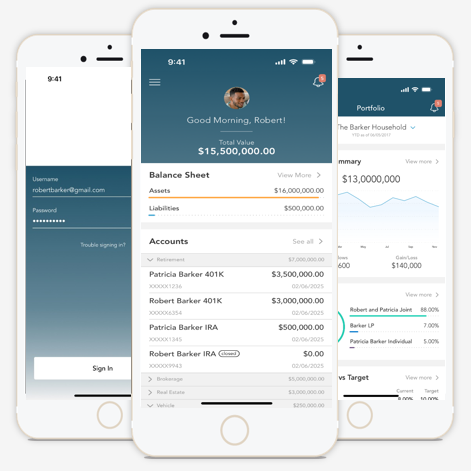
Screenshot of a mobile banking app interface showing a greeting, total account value, and various account details including balances and investments.

Personalized For You

From your portal, you have access to unique information and insights, account details, your investment dashboard, a document vault, instant access from any of your devices, and more.

Stay Connected to Your Financial Picture

At-a-glance view of pertinent account information

Dynamic view of your entire portfolio

Easily keep track of and share your important financial and legal documents

Select a section above or simply scroll to explore the content below.

Home Page
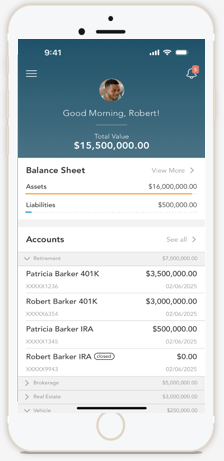
Screenshot of a mobile banking app displaying a balance sheet with accounts, assets, liabilities, and total value of $15,500,000.

When you log in, you’ll see your personalized home page. Then, across the top, you have quick access to the other pages of your portal.

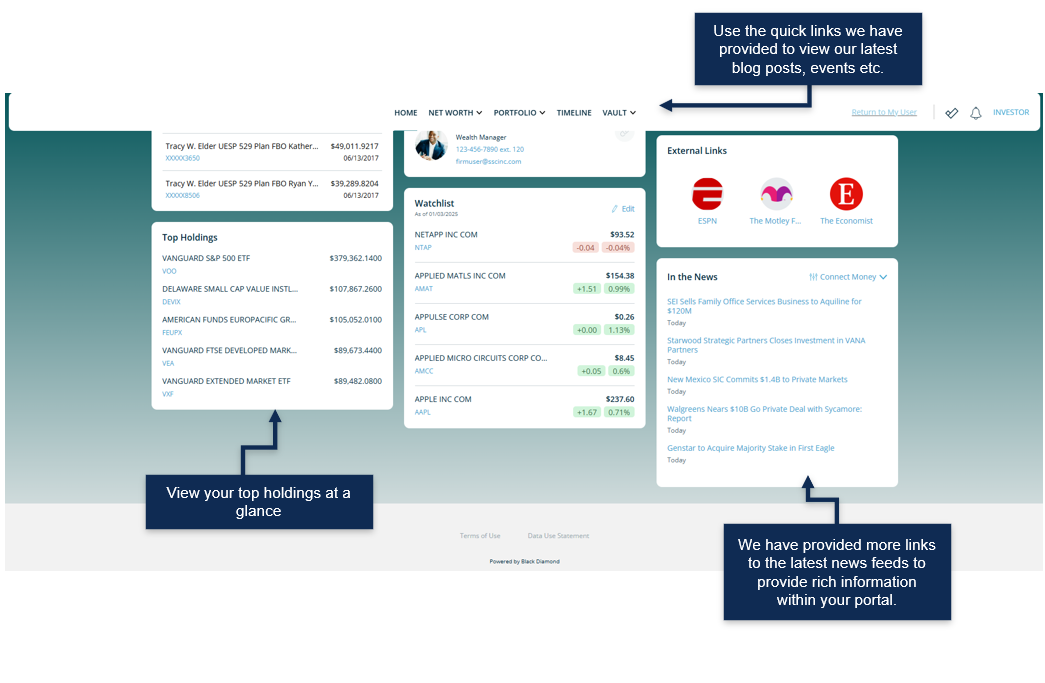
Your accounts and total portfolio value are listed front and center. Next to your accounts, you’ll also find your top holdings for quick reference.

You can stay connected to your financial team with clickable links to phone numbers, emails, and office locations.

You can also quickly contact your advisor while on the go. In addition to contacting us, we can send communications and updates from your team directly within the portal.
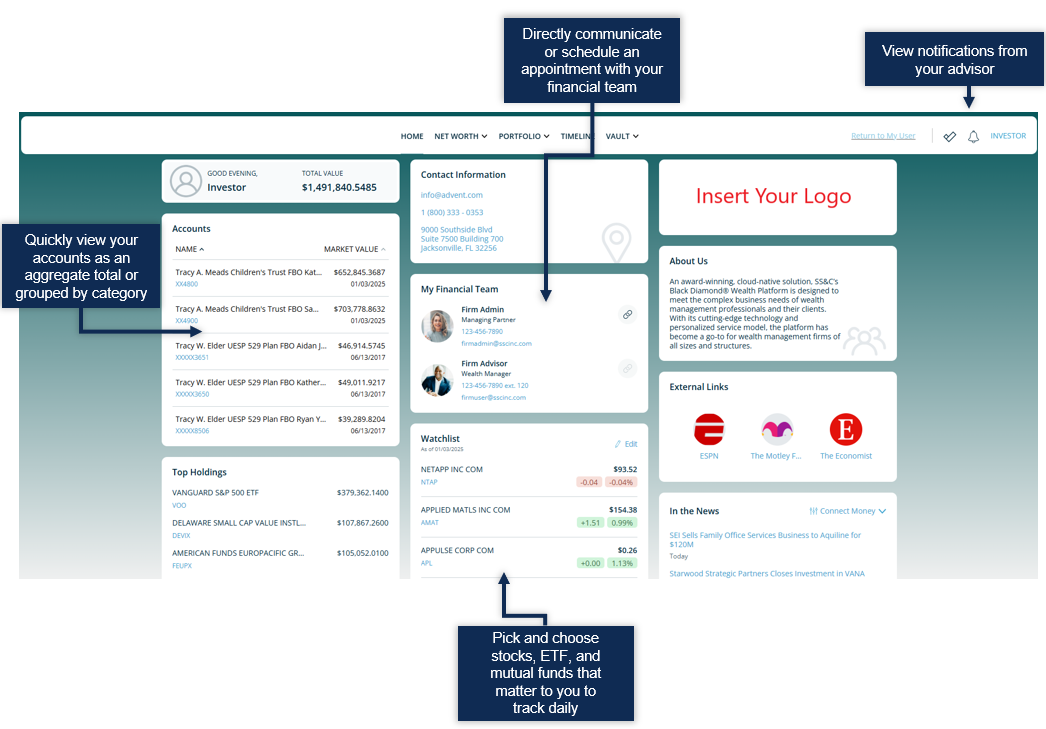
Screenshot of a financial management dashboard showing account overview, contact information, stock watchlist, and news updates with callouts for direct communication with advisor, viewing notifications, and selecting stocks or funds to track.
Dashboard interface displaying top holdings, market watchlist, external links to ESPN and other news, and additional news feeds, with annotations pointing out quick links, top holdings view, and updated news feeds.

Portfolio

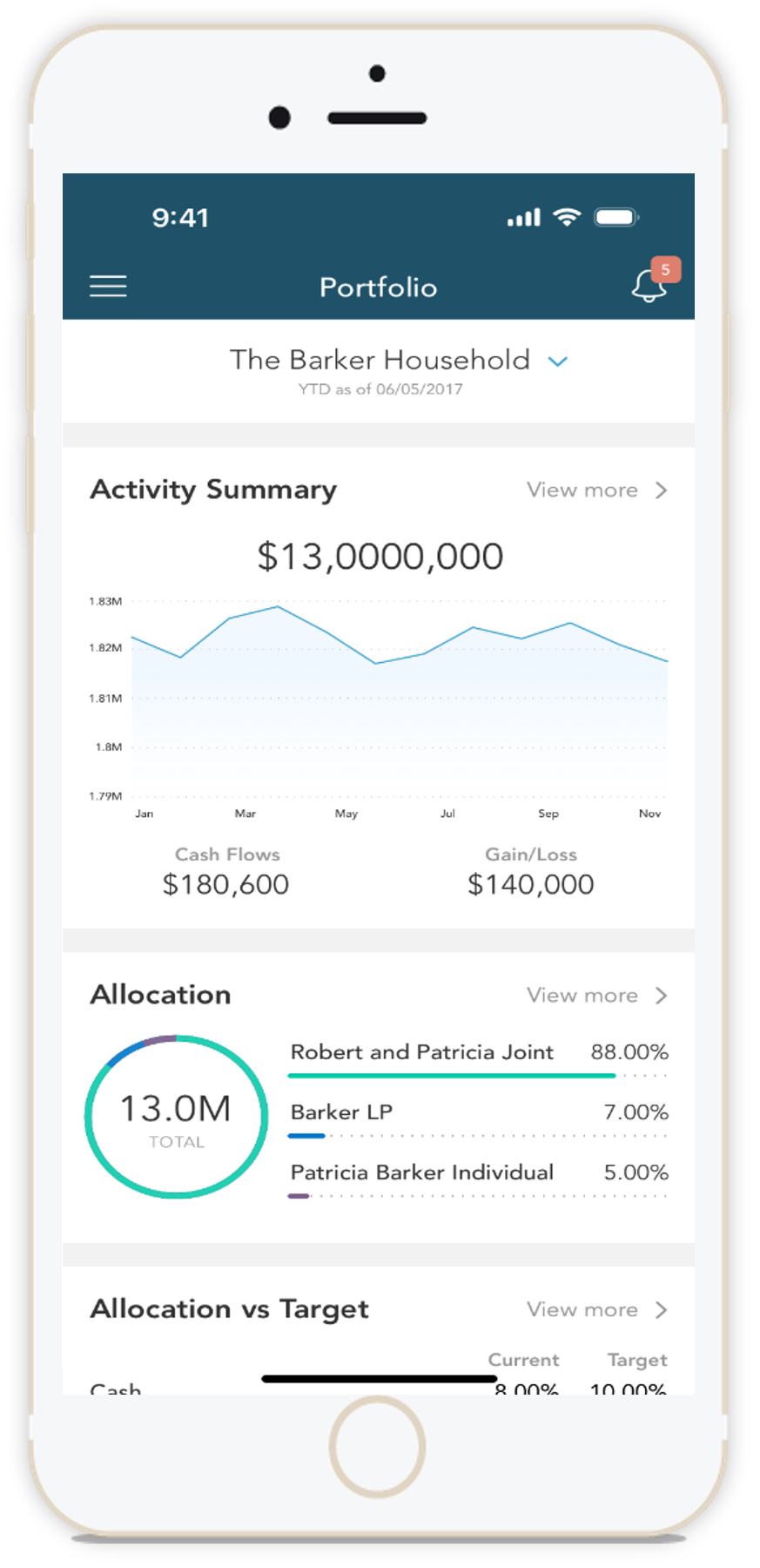
Mobile phone screen displaying a financial portfolio app with activity summary, cash flows, allocation, and target comparison charts.

The Portfolio dashboard is where you can view additional details about your portfolio. The dashboard gives you a dynamic overview of your portfolio with performance cards highlighting key information about your portfolio.

To get even more detail, you can click on the title of each card. You can also use the drop-down menu to quickly switch between the different cards.

All this information is completely customizable using the filters to select specific date ranges, portfolios, or accounts.
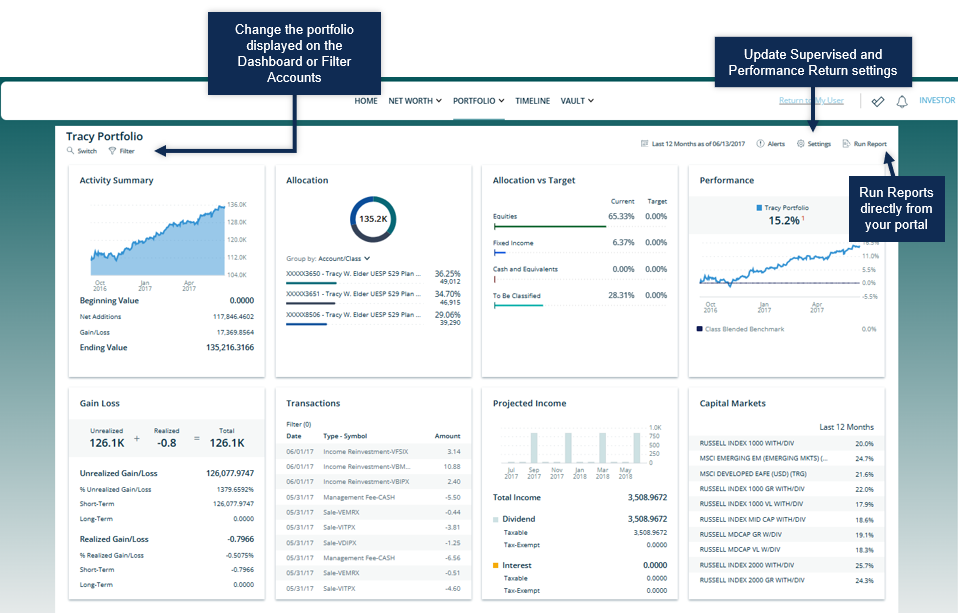
Screenshot of an investment portfolio dashboard displaying charts, graphs, and data related to portfolio performance, allocations, transactions, and market indexes.

 Activity Summary

View activity and changes in your portfolio or account balance.
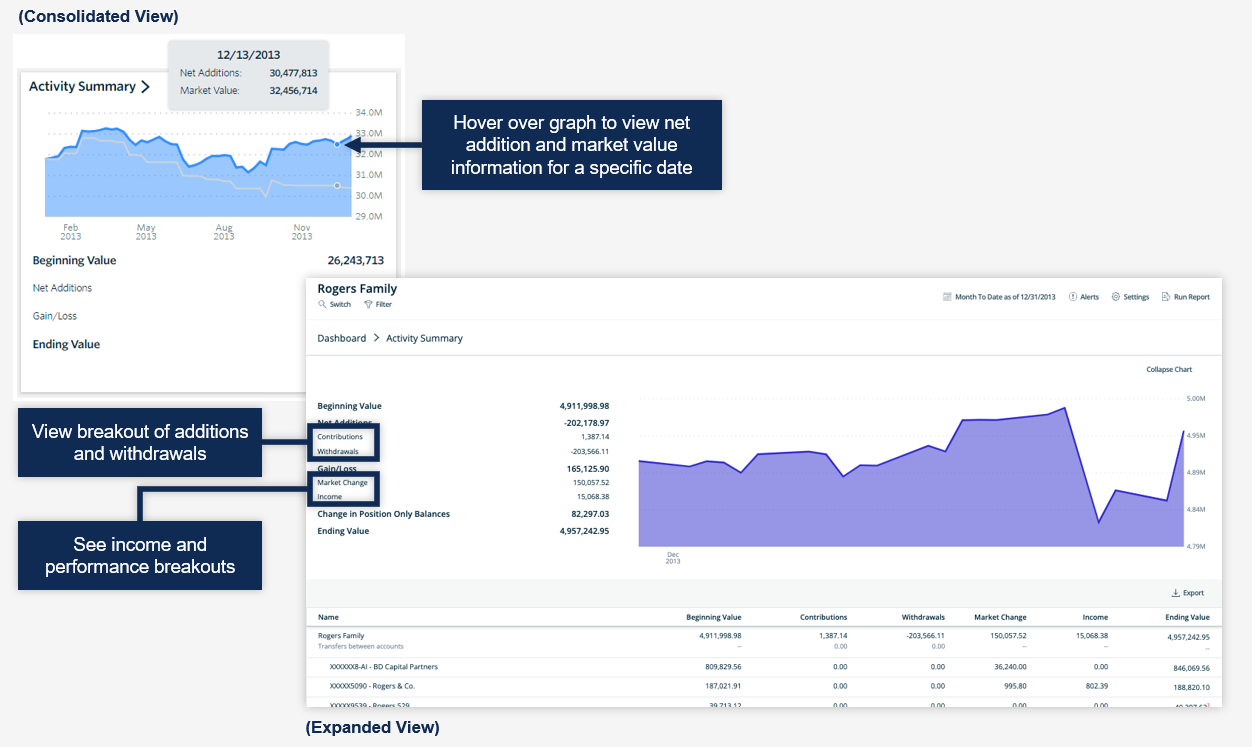
A screenshot of a financial activity dashboard showing net additions, market value, and a graph of account activity over time. An annotation indicates hover-over to view net addition and market value details for a specific date. Another annotation points out a breakout view of additions and withdrawals, and income and performance breakouts.

 Allocation

View the allocation breakdown of your portfolio.
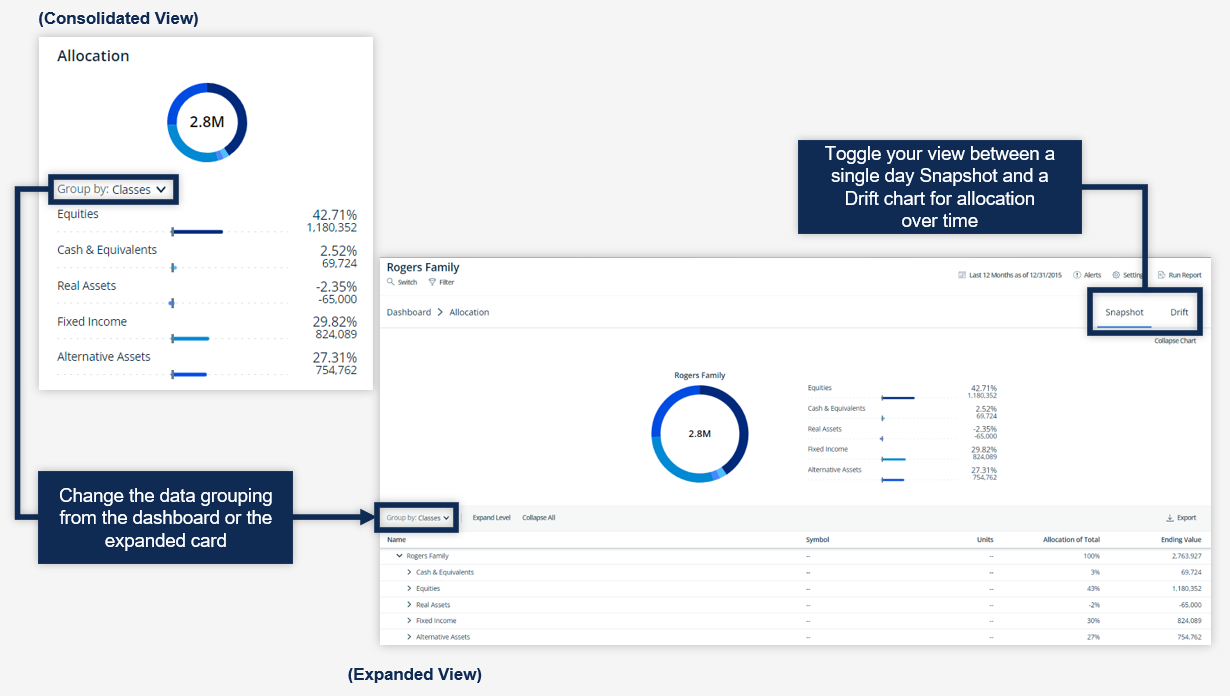
Screenshot of a financial dashboard showing data allocation in a donut chart and a detailed table, with options to toggle between Snapshot and Drift views and change data grouping.

 Performance Card

View investment performance across your portfolio.
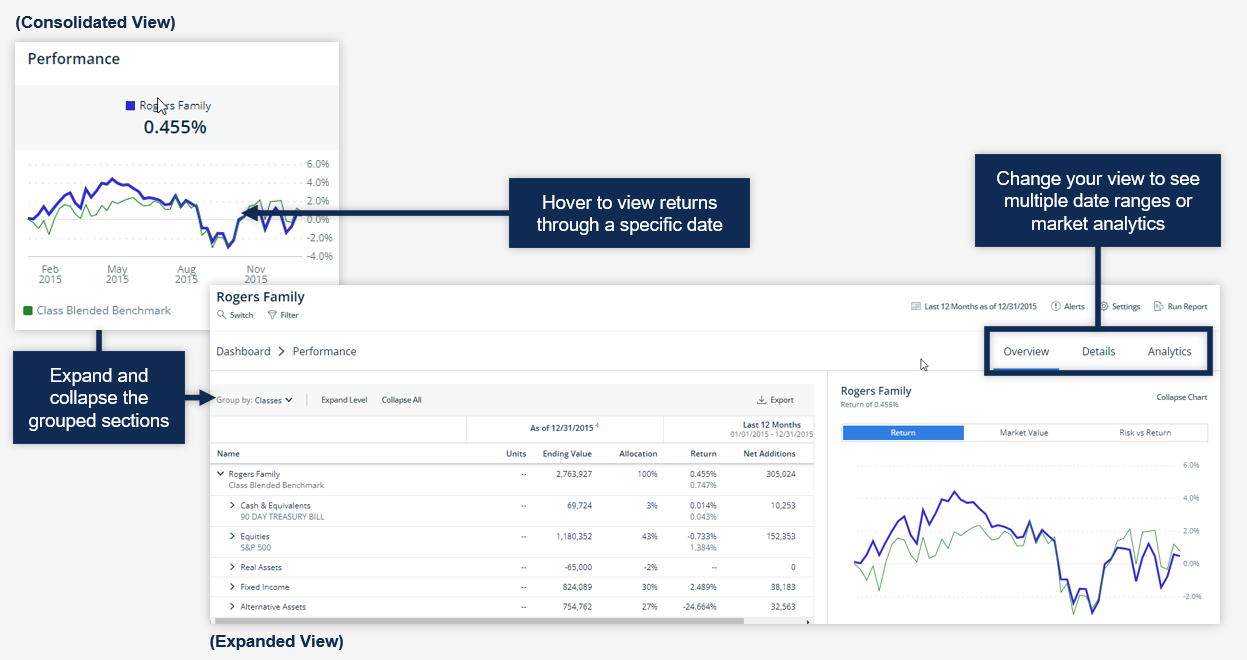
Screenshot of a financial performance dashboard showing a line graph of returns over time, with instructions for viewing data by hover, changing date ranges, and expanding/collapsing sections; includes menu tabs for overview, details, and analytics.

Gain Loss

View realized and unrealized gain/loss information for your investments.
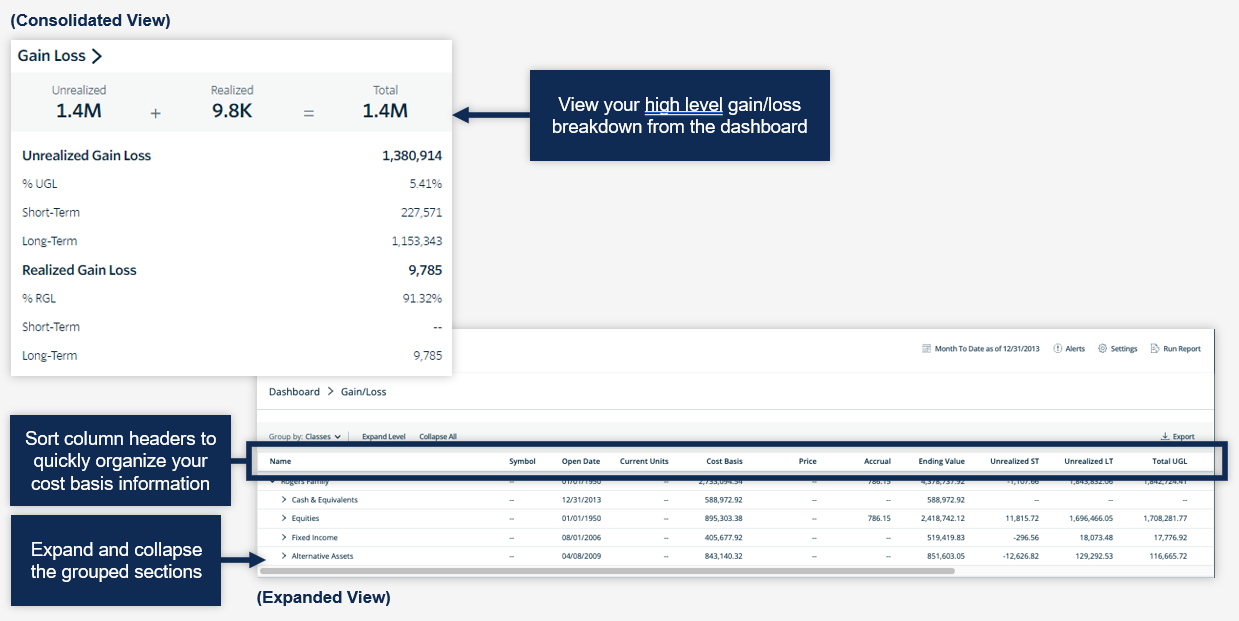
Screenshot of a financial dashboard showing gain/loss overview, with sections for unrealized and realized gain/loss, and a table of cost basis information with expandable grouped sections for different asset classes.

Vault

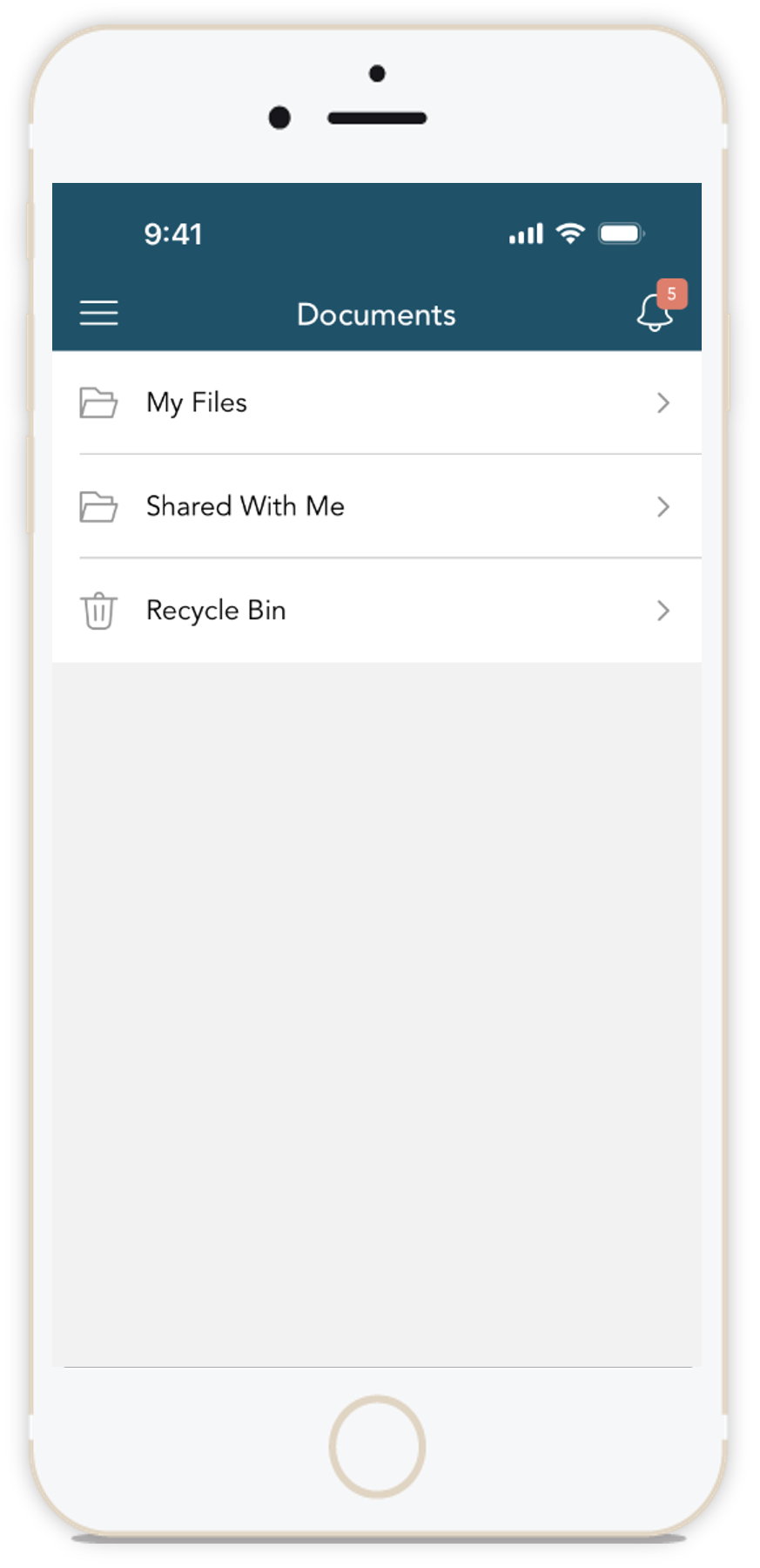
Smartphone screen showing a file management app with folders labeled 'My Files,' 'Shared With Me,' and 'Recycle Bin'.

Securely sharing and managing documents is key to working with your wealth management team. The Vault page is where you can keep track of all your important financial and legal documents.

From here, you can organize your documents into folders, drag-and-drop to upload new documents, and easily move files from one folder to another.

The Vault is also an area where we can share documents through the Shared Folders option.

From the Statements and Reports folders, you can view investment-focused reports created by your financial team.
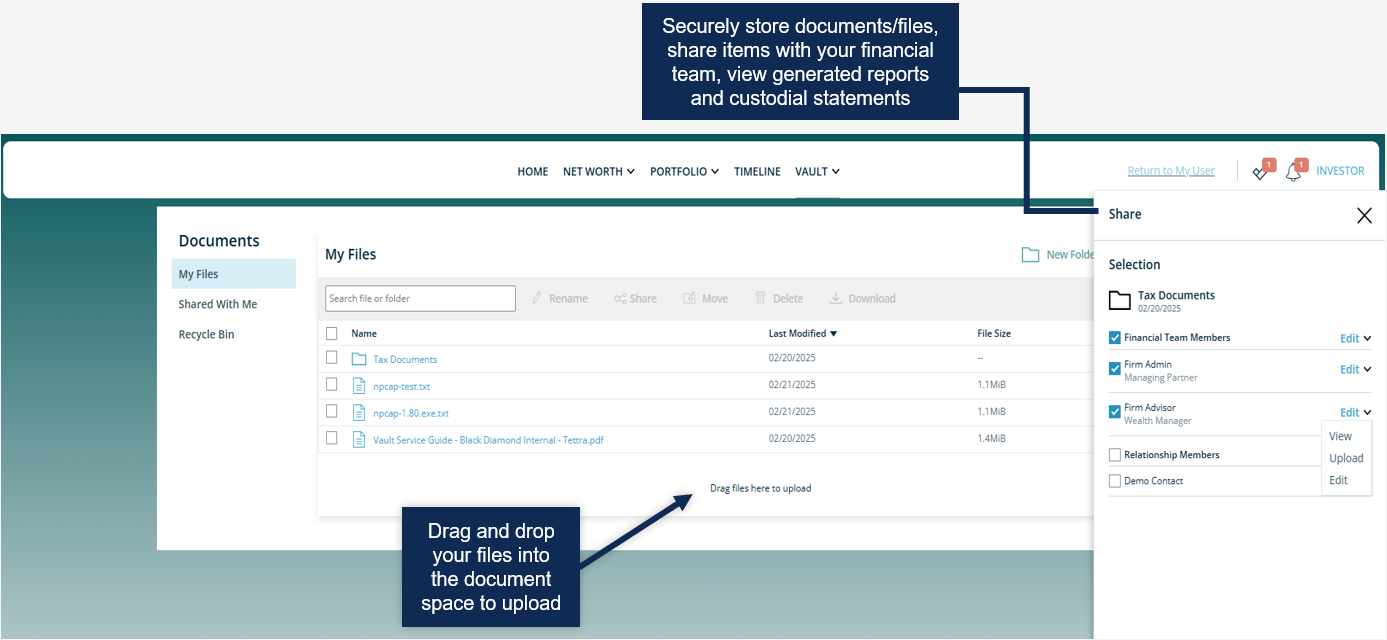
Screenshot of a document management interface showing option to drag and drop files, with content about securely storing documents, sharing with financial team, and viewing reports.

Login Problems

Please follow these directions if you need help signing in to the site.
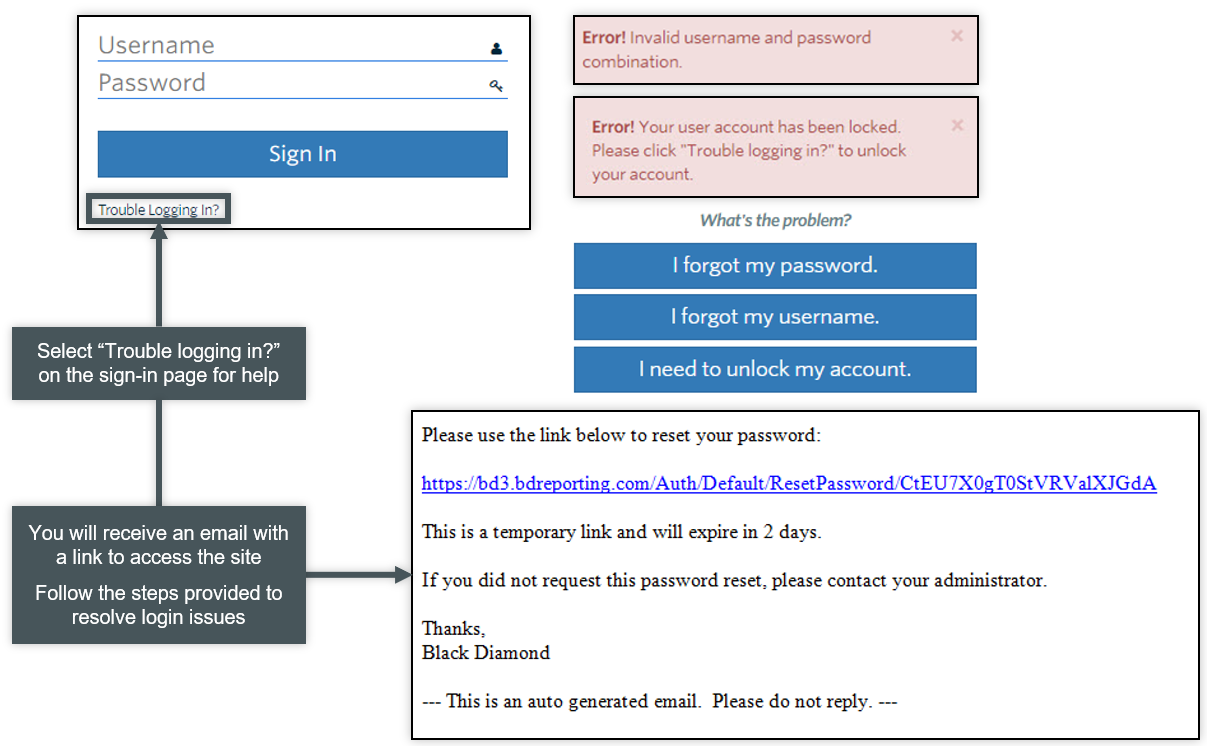
A user interface showing a login page with fields for username and password, a 'Sign In' button, and a link labeled 'Trouble Logging In?'. There are red error messages indicating invalid login attempts. To the right, there are options for password recovery, including "I forgot my password," "I forgot my username," and "I need to unlock my account." Below this, there is a link to reset the password via email, with instructions, a temporary link, and a note that the email is auto-generated.